Updated · View the original (2020)
Viewing Your Supra CBS Code
To let our team into a property secured with a Supra lockbox, we need its CBS code. A CBS code is a short access code that lets a Supra affiliate member, such as a photographer or inspector, open a keybox without being a licensed agent. If you are booking a shoot at a home with a Supra box, here is how to find that code and send it to us.
Retrieve your CBS code in the Supra eKEY app
Open the Supra eKEY app on your iPhone or Android.
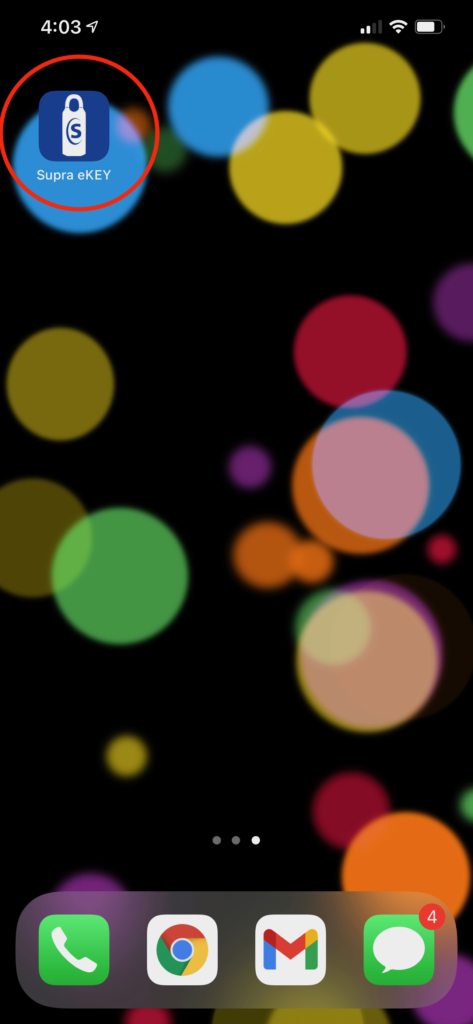
Tap My Keyboxes.
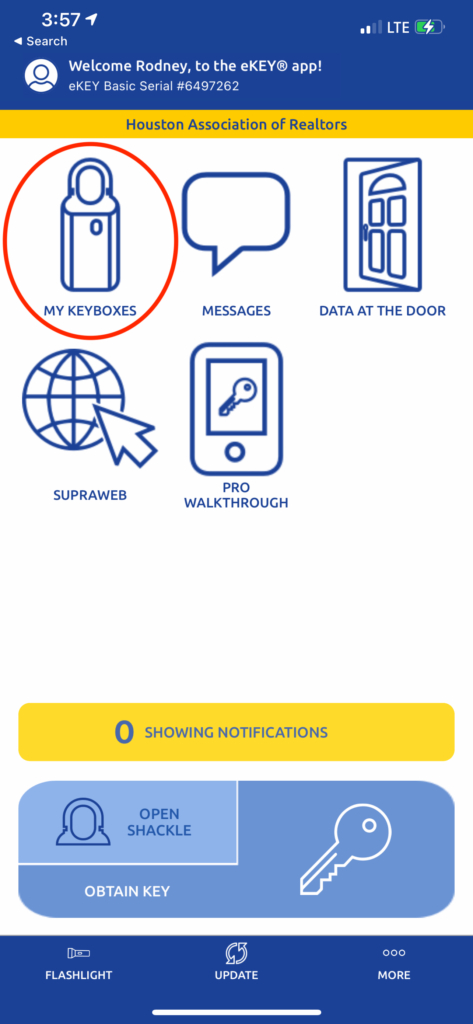
Select the keybox you need the CBS code for.
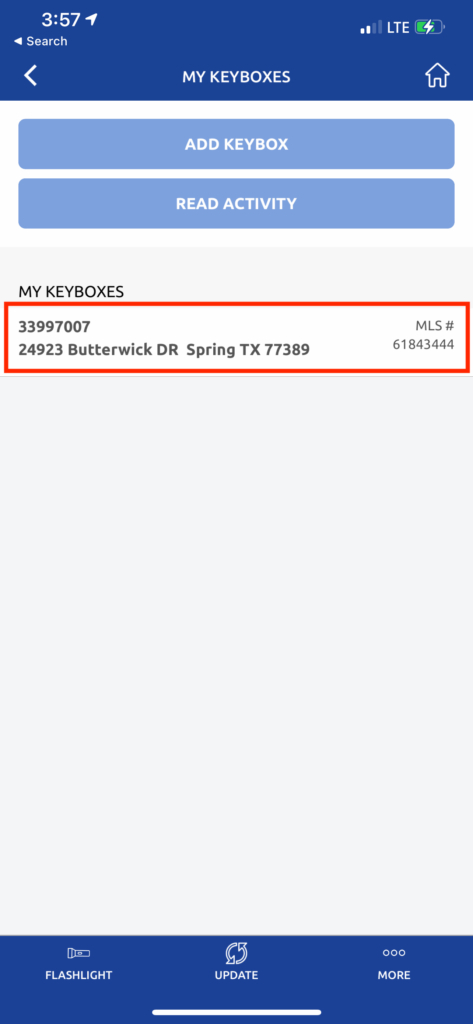
Tap Program Keybox.
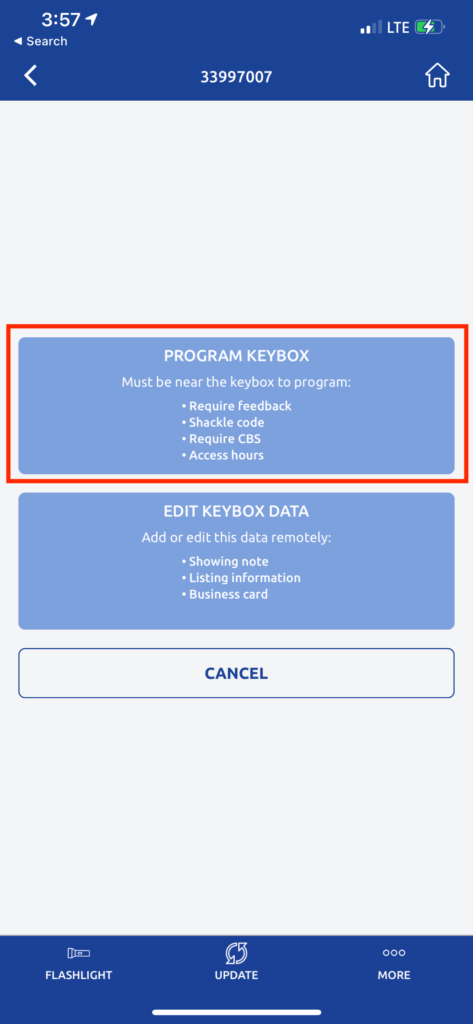
The CBS code for that lockbox is shown on this screen.
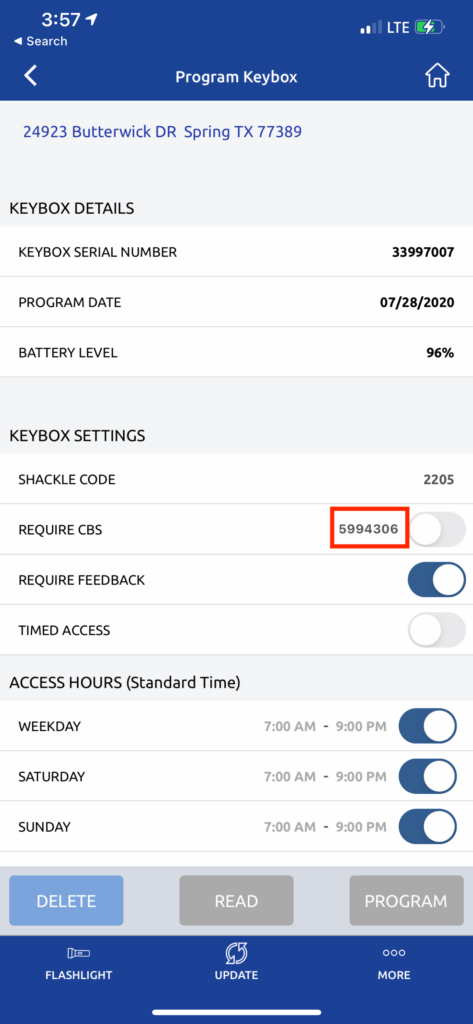
Why we need it
A CBS code is required for any MLS affiliate who is not a member, which includes photographers and inspectors. Anyone who can open a Supra box without a CBS code is a licensed agent, and in most cases that means a competitor, not your media team. Sending us the code ahead of time keeps your shoot on schedule with no scramble at the door.
Send us the code
Once you have the CBS code, text or call our office at (888) 414-4154, or email it to hello@154photography.com. If the property is in a gated community, please send any gate or keypad codes at the same time.